How to cancel a subscription
Three steps. Access stays until the end of the paid period; credits are not refundable.
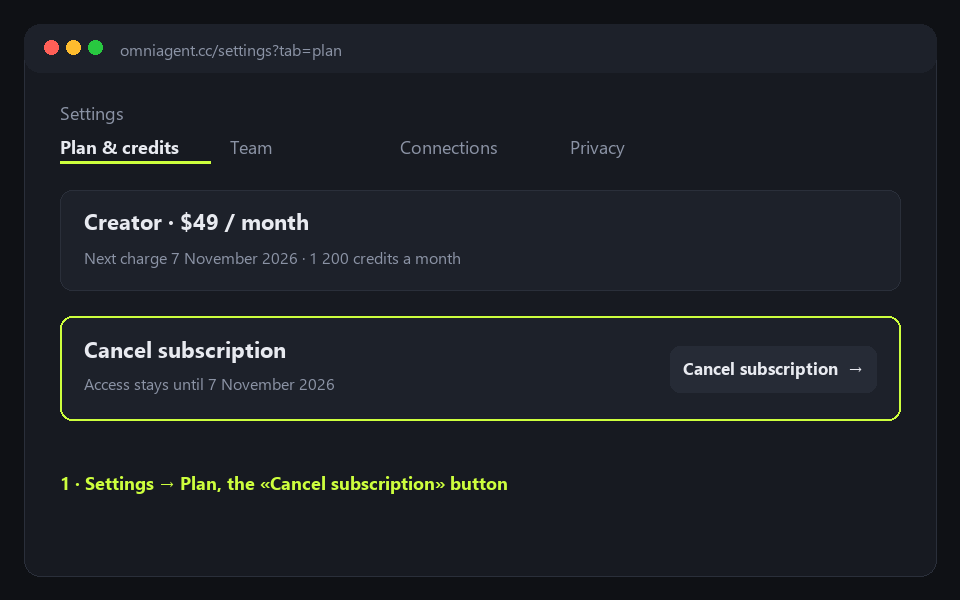
Step 1. Settings → Plan, the «Cancel subscription» button.
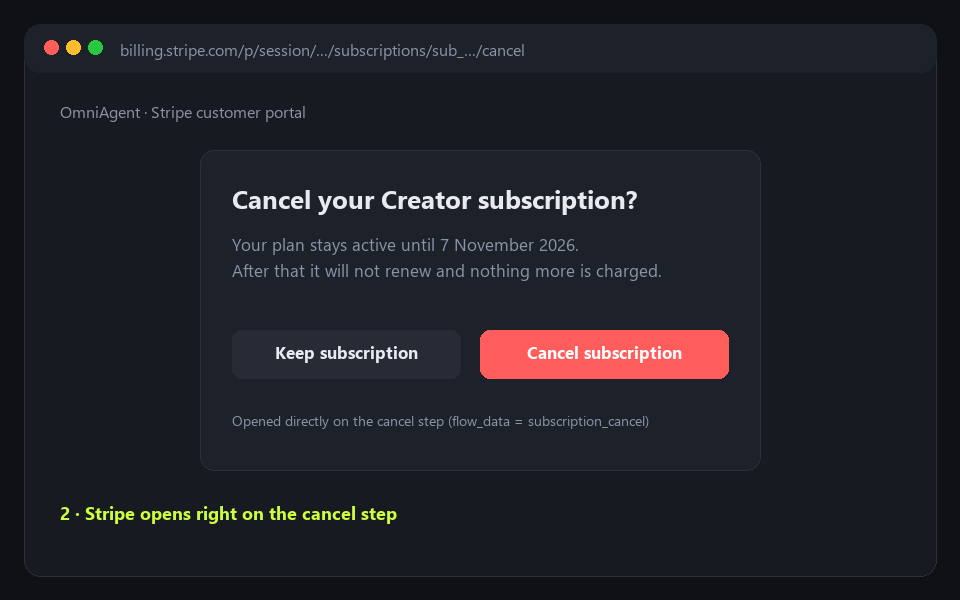
Step 2. Stripe opens right on the cancel step.
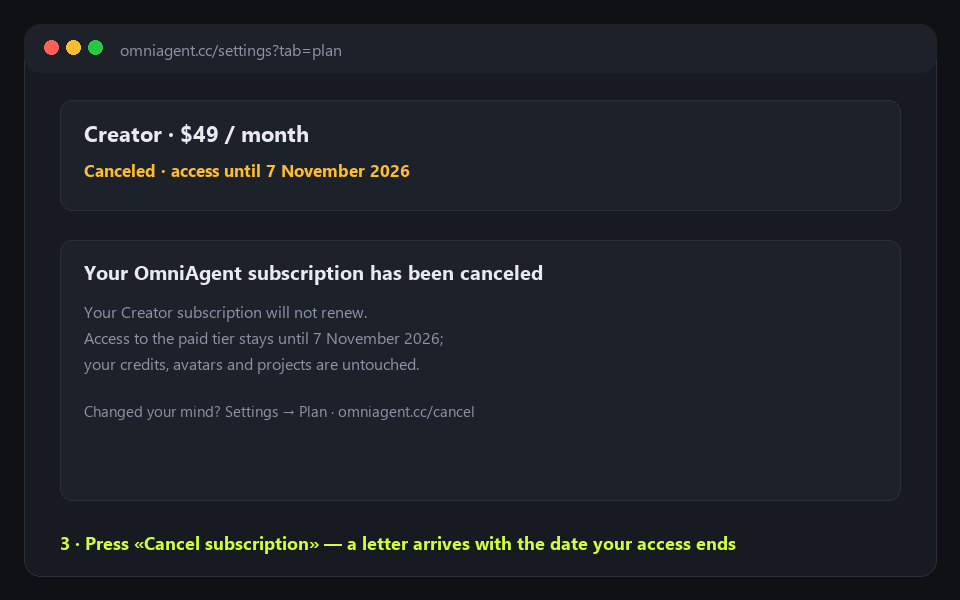
Step 3. Press «Cancel subscription» — a letter arrives with the date your access ends.
Go to cancellation
Signed in — straight to the Stripe portal; a guest signs in first.